Your long videos. Turned into Shorts by AI.
Paste a link. Get your best moments back, already reframed and captioned.
Clips cut from public MrBeast and Lil Baby videos.
Scored out of 100 by AI
The best moments, found for you.
Tap a clip for sound. Tap the score to see why.
A high-concept opening: the chaotic start and the magnet rule on the costumes set the stakes right away.
I recreated Hunger Games in real lifeVolta · 41 sec The final duel between best friends ends with Kevin’s win and a big emotional moment.
Only one of us wins $250,000Editorial · 17 sec A tense hostage standoff that ends in an elimination and a shocking betrayal.
Don't do it, Maj! Betrayal with a bow and arrowKaraoke · 15 sec A story about a custom table he almost gave up on, with a satisfying payoff.
I almost pulled the plug on this custom tableEditorial · 40 sec
Captions only by default, shown here in Volta, Editorial and Karaoke. See the caption styles
Clips cut from public MrBeast and Lil Baby videos.
Automatic 9:16 reframing, shot by shot.
One person, a wide shot, a screen: every shot gets the right frame.
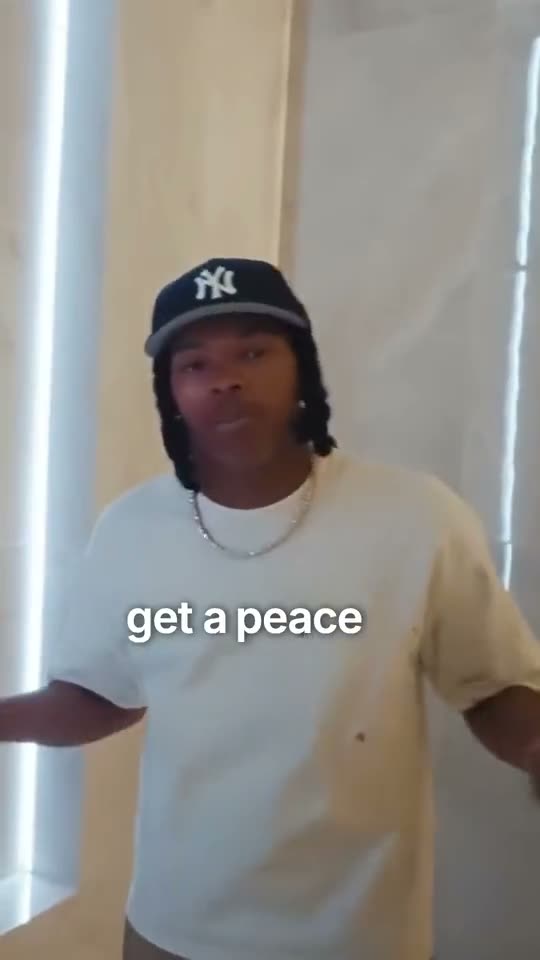
Clips cut from public MrBeast and Lil Baby videos.
Love a clip? Get it fully edited.
Auto Edit adds a hook, zooms and sound effects on the words that matter. And every clip opens in the editor: fix a word, switch the style or the framing.See Auto EditQuestions about AI clipping.
AI clipping at a glance
MakeYours Clipping is an online tool that turns a long video into short vertical clips. Paste a YouTube, Twitch (VODs and clips), Kick (clips), TikTok, Instagram, Facebook, X, LinkedIn, Google Drive, Dropbox, Loom, Zoom (public recordings), Dailymotion, Rumble or Streamable link, or upload the file, of a video where someone talks. Each scan covers up to 90 minutes; for a longer video, you pick the part to scan. AI finds the best moments, reframes them to 9:16 and adds animated subtitles you can edit.
How do I turn a YouTube video into Shorts?
Paste the video’s link or upload the file. AI transcribes what’s said, picks the passages that work on their own, reframes them to vertical 9:16 and adds captions. Keep the ones you like and export them.
How many clips does AI find in one video?
3, 6 or 10 clips, your choice (6 by default), each 15 to 75 seconds long. AI keeps fewer when there are fewer strong moments. Each clip gets a title and a score out of 100, which is an estimate, not a view prediction.
What kinds of videos can I turn into clips?
Finished videos where someone talks: filmed podcasts, interviews, vlogs, talks, gaming videos with commentary. Paste a YouTube, Twitch (VODs and clips), Kick (clips), TikTok, Instagram, Facebook, X, LinkedIn, Google Drive, Dropbox, Loom, Zoom (public recordings), Dailymotion, Rumble or Streamable link, or upload an MP4, MOV, WebM or M4V file; for a Kick VOD or a Vimeo video, upload the file. Each scan covers up to 90 minutes: for a longer video, choose the part to scan, and only that part is downloaded and scanned. A stream that’s still live can be clipped from its VOD once it ends. If we can’t hear anyone talking, we warn you before any credits are used.
How do I make a horizontal video vertical without cropping people out?
Each shot gets its own layout: one person full frame, two people stacked, webcam above gameplay, or the whole picture over a blurred background. The frame doesn’t follow whoever is talking, so if a shot looks off, switch that clip’s layout. Clips come out at 1080×1920.
What’s in a clip by default?
Captions timed word by word to the voice, and nothing else: just one text on screen, and the clip keeps its original sound and pacing. Before the scan, you can add an AI-written hook title. You also get each raw clip, without captions. To cut dead air and add zooms and sound effects, send it to Auto Edit.
Can I edit the clips and captions?
Yes. Choose from 43 subtitle styles, from clean and simple to bold and highlighted, always one text on screen. Each clip opens in the online editor, on desktop or phone: fix a word, the color or the position, then export a 1080p MP4 or an SRT file. Captions follow the language you speak.
How is it different from OpusClip?
Both find the strongest moments in a long video and turn them into captioned vertical clips. Here, any clip can then go through Auto Edit for a full edit (cuts, key words, zooms, sound effects) and be fine-tuned in the editor, all on the same plan.
How much does AI clipping cost?
Plans start at €14.99 a month and come with monthly credits. Scanning a video uses credits based on its length, and the clips it finds are captioned at no extra credit cost. If a scan fails, its credits are refunded. Cancel anytime online; details are on the pricing page.
Your best clips are already in your long videos.
From €14.99/month · Credits back if a scan or edit fails · Cancel anytime online · See plans
We don’t use your videos to train AI, and we never sell them.